Lesson 9 - Computer Memory
- Home
- / Computer Fundamental
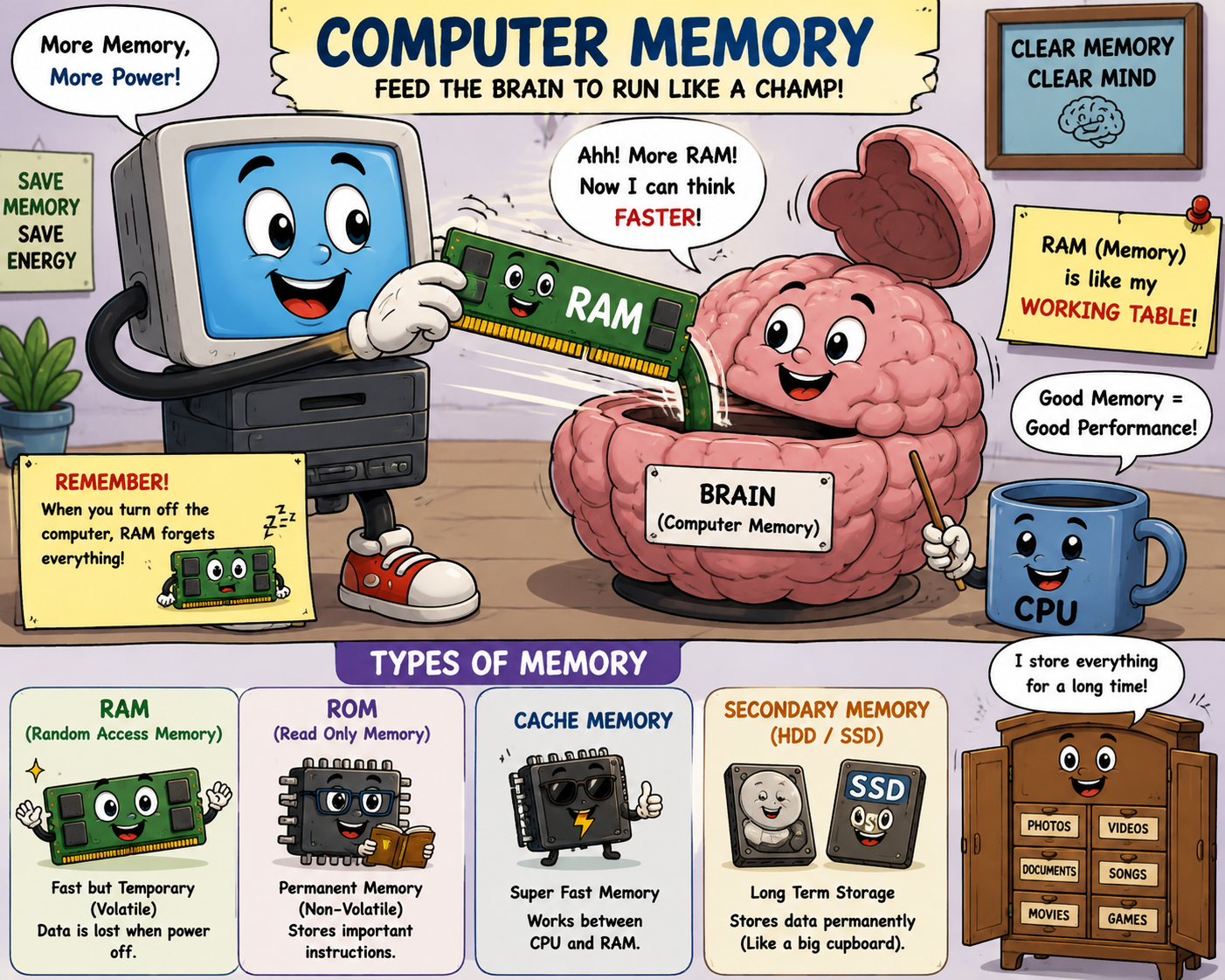
So you learnt about Input and Output unit. Now it’s a time to learn about Memory unit. But before this let's recall various Hardware component of a computer system.
You have a Keyboard to give a instruction to computer, and to execute (process) the given instruction in order to gives you result (output) computer need to store information temporarily and that why it has a memory unit.
Or in other words you can say that -
Memory Unit is principle storage of computer, all the data or instruction that computer needs at that moment stored here for execution.
Hello Friends !!,
Here you need to notice something about Memory Unit.
Memory unit is act like a storage where data or instruction are stored so that they are available for the user if he/she is needed to run it repeatedly after several interval of time so he/she don't need to entering it each time through input devices. It’s store in a memory of computer.
Memory unit are divided into several types of storage (memory) depending upon a several factor, but here you need to know that mainly it’s of two types.
Volatile and Non-Volatile Memory.
Don't worry you are going to learnt about these in this course.
A Computer can remember lots of thing because of memory unit. You can put a lot of number into a computer memory. You can also put number of names, jokes, program etc. into memory. Memory stores all your data and arranges it in alphabetical order by default.
Higher are memory in a computer gives you the Higher Performance. Memory is also divided into 2 sectors Primary or Temporarily Storage such as Random Access Memory (RAM) or a Secondary or Permanent Storage like Read Only Memory (ROM).
Bit - It’s a logically 0 & 1 represent a passive or a active stage of component in an electric circuit.
Nibble - A word used to describe a group of 4 bit.
Byte - Group of 8 bit is known as Byte, which represents the data or character.
 1 Byte = 8 bit


1 Kilobyte = 1024 bytes


1 Megabyte = 1024 Kilobytes


1 Gigabyte = 1024 Megabytes


1 Terabyte = 1024 Gigabytes


1 Petabyte = 1024 Terabytes
Hello friends !! Aghori here again, How are you ? Hope you learnt much about Memory Unit. Make sure you make your notes for better understanding. Now you are ready to go ahead.

Vinay Bhatt is the Founder of LearnInCreation, an education and technology platform focused on making computer science and digital learning simple, practical, and accessible. He holds a B.Sc. degree from Kumaun University and has professional certifications in Full Stack Web Development, Digital Marketing, and Ethical Hacking. Passionate about education and technology, he creates beginner-friendly courses, practical learning resources, and projects that help students develop real-world skills and prepare for their careers.


LearnInCreation helps students learn computer science and technology through easy-to-understand courses, practical projects, books, e-books like learning resources, enabling them to build skills for academic success and future careers.
Watch old videos of computer lessons, Subscribe us on Youtube