Lesson 13 - Operating System
- Home
- / Computer Fundamental
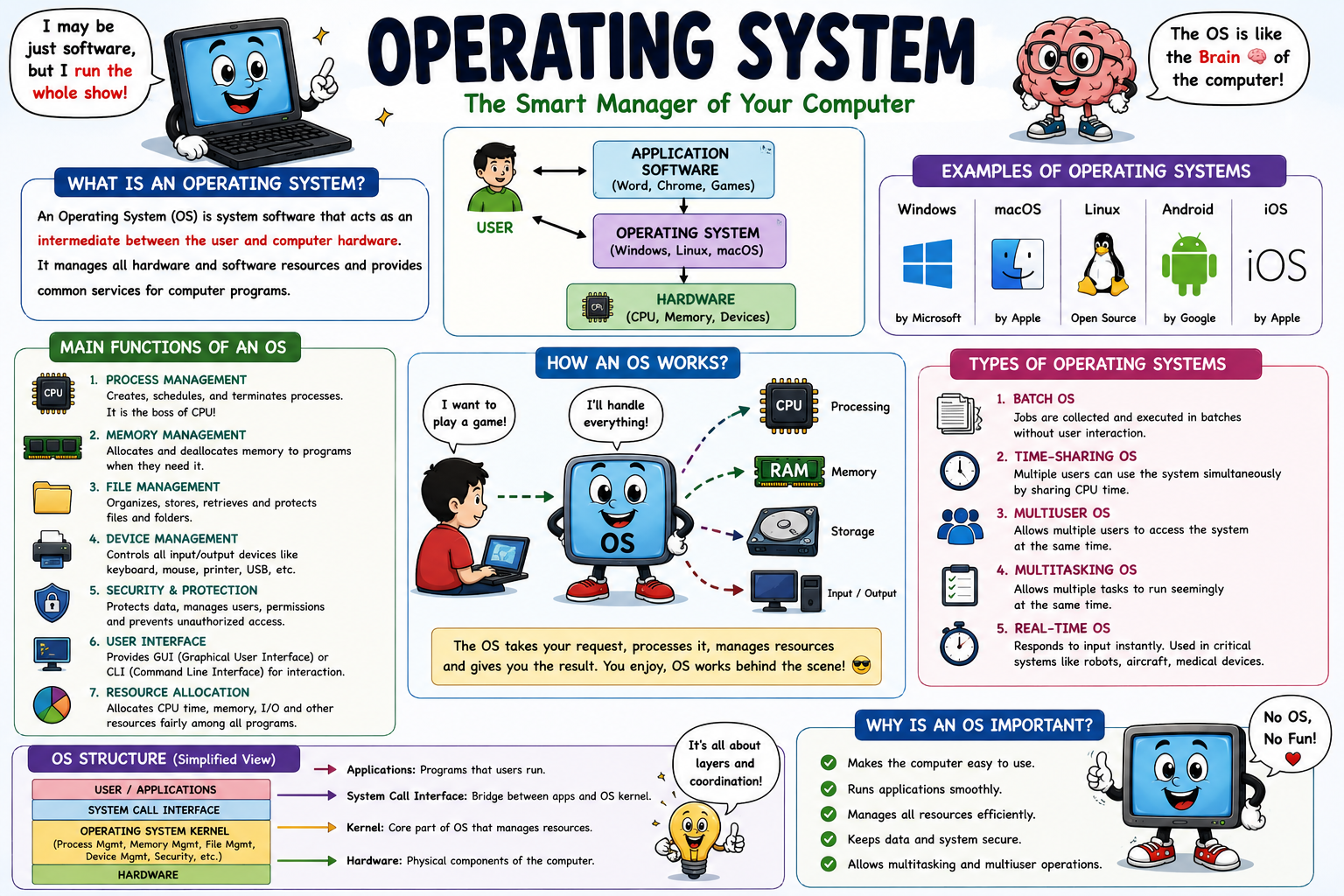
An Operating System is the important part of computer system, which controls the all others component associated with system.
Some Major component is -
Or in other world you can says that -
An Operating System is a program, which acts as interface between users and the hardware of computer system.
Now let’s make it simpler, Read the given example -
You go somewhere for a family trip, and you hire a Tourist guide who helps you to be familiar with that place. Here, Tourist guide, act as a medium between the Place and You; same work is perform by Operating System.
Hello friends !! Don't be worried about this topic; we designed complete Courses about Operating System. Explore more there, once you complete this fundamental courses.
When Hardware provides the all basic computing resources, the Application program routines define the ways for using these resources and to solve the computing problems of Users. And here, Operating System is used to control and co-ordinate the use of hardware among various program for single or multiple users.
The Operating System provide several services to program and the user of that program, some common service which are provided by Operating System are listed below -
Now ready to learn about each one -
Program Execution -
Operating System is responsible for executing various program, may be system programs or user programs. Execution is Operating system responsibility.
Input-Output Operation Handling -
The Operating System handle the various types of Inputs and various types of Output which was gives by users and after processing shown by system respectively.
Manipulation of File System -
Decision you take regarding the storage of files and folder are involves in this process.
Error Handling -
Operating System is also helps to detect any kind of error and to handle or resolve them.
Resources Allocation -
This involves the proper uses of available resources.
If multiple files selected for print by the users then, how and in which order they are print ? Is decided by Operating System.
Accounting - Operating System keeps an account of what types of function are performed by system and what kind of error have occurred.
Information and Resources Protection - The Operating System is responsible for ensuring that all the information and available resources are used in a correct way.
Some Commonly Used Operating System
Important Information -
More information about each and every Operating System is in upcoming course Operating System don't forget to check out.

Vinay Bhatt is the Founder of LearnInCreation, an education and technology platform focused on making computer science and digital learning simple, practical, and accessible. He holds a B.Sc. degree from Kumaun University and has professional certifications in Full Stack Web Development, Digital Marketing, and Ethical Hacking. Passionate about education and technology, he creates beginner-friendly courses, practical learning resources, and projects that help students develop real-world skills and prepare for their careers.


LearnInCreation helps students learn computer science and technology through easy-to-understand courses, practical projects, books, e-books like learning resources, enabling them to build skills for academic success and future careers.
Watch old videos of computer lessons, Subscribe us on Youtube