Lesson 12 - Formatting Chart
- Home
- / Fun With Excel
You can edit your chart layout, styling, designing etc. as per your condition. You can even add chart element like chart title, axis title, data label, data table etc. Follow these simple step to edit or formatting your charts –
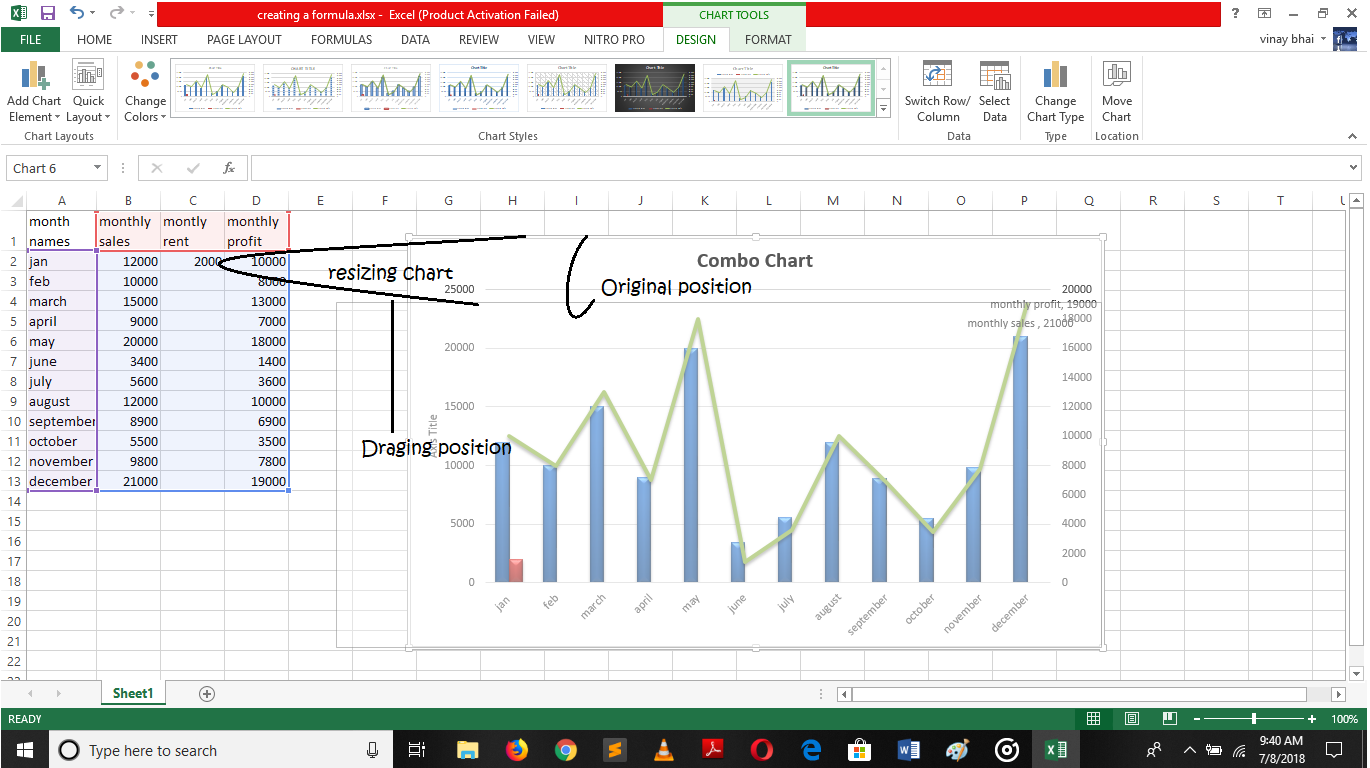
To move your chart you can drag it from its original position and place it anywhere you want like you drag images in PowerPoint presentation. Also you can resize your charts just by dragging its edge, on appearing double arrow tilt bar.
Insert a chart in your Annual growth report and track your last two performs. Also don’t forget to share your project, research or words with us, if your work is really nice, we post it in our blogs with your name, under hashtag #ShareYourKnowledge.
Sharing your knowledge will inspire other and amplify your skills.
Now you learn all about formula’s, function’s and cell reference and now we are at the end of this course. Hope you learn advance excel skills in a simplest way, and enjoy your journey.
Technology is getting advance with every day updates.
So it’s your responsibilities to update yourself in in this we helps you. Read our blogs for more update and information and also mail your question to us we gives your answer in blogs. Or for any feedback feel free to mail us, we continuously work hard to give you finest services advices us how we can improve us.

Vinay Bhatt is the Founder of LearnInCreation, an education and technology platform focused on making computer science and digital learning simple, practical, and accessible. He holds a B.Sc. degree from Kumaun University and has professional certifications in Full Stack Web Development, Digital Marketing, and Ethical Hacking. Passionate about education and technology, he creates beginner-friendly courses, practical learning resources, and projects that help students develop real-world skills and prepare for their careers.

LearnInCreation helps students learn computer science and technology through easy-to-understand courses, practical projects, books, e-books like learning resources, enabling them to build skills for academic success and future careers.
Watch old videos of computer lessons, Subscribe us on Youtube