Lesson 3 - Formula in Excel
- Home
- / Fun With Excel
What you think when I say formula. In terms of math, word “formula” reminds you the math’s formula you used in your math’s class like (a + b)2 = a2 + b2 + c2 or in simple terms a + b = c.
Here, if you notice formula defines the relation between these values. In formula a + b = c, value of relation of a & b originate the value of c. So we can say that - formula describe the relation among entries or data and helps to get a results. Here instruction of addition (a + b) is a relation of mathematical operation.
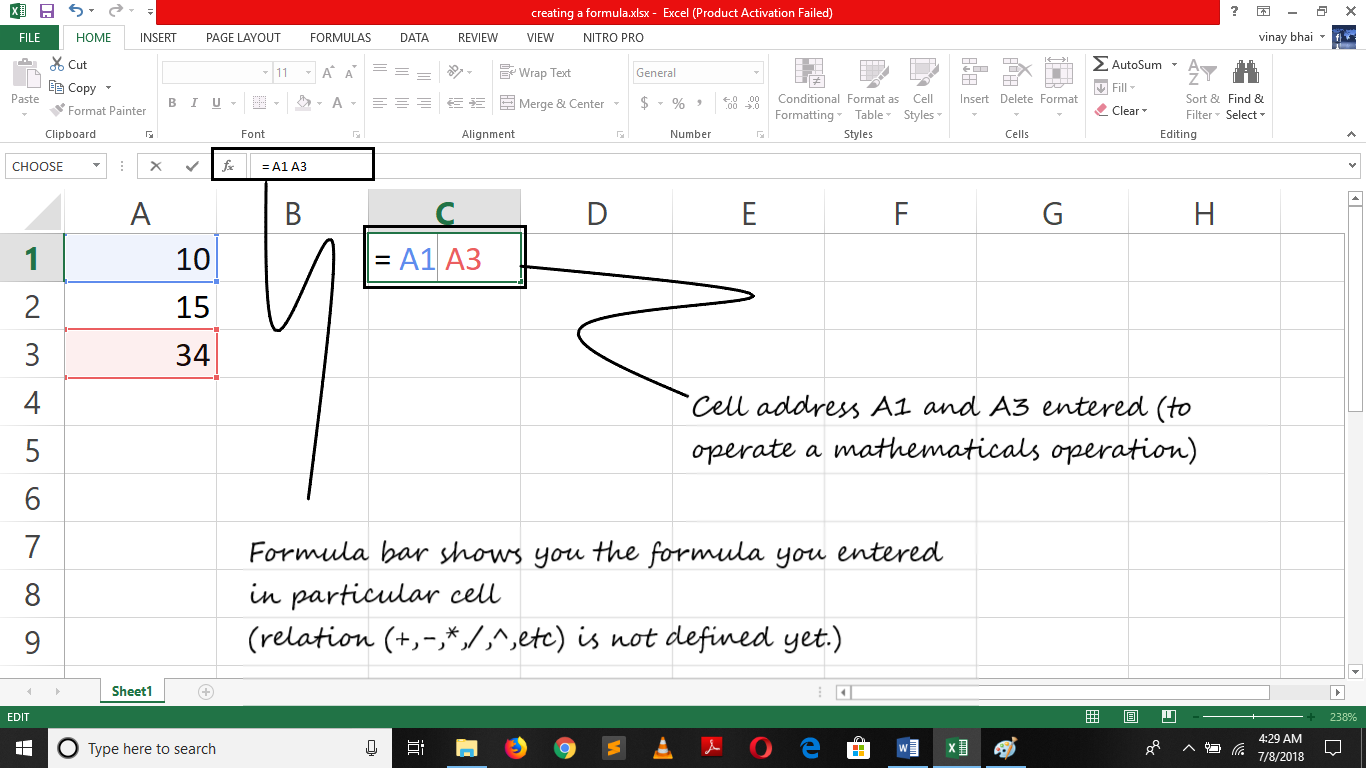
Similarly, in excel we use formula to describe a relationship between cells with the help of mathematical operation like addition, subtraction, multiplication and division and much more. Since there is many cells in worksheet so we used cell address to defined a relationship. Like A1, AA2, CCC12 etc. (example of cell address)
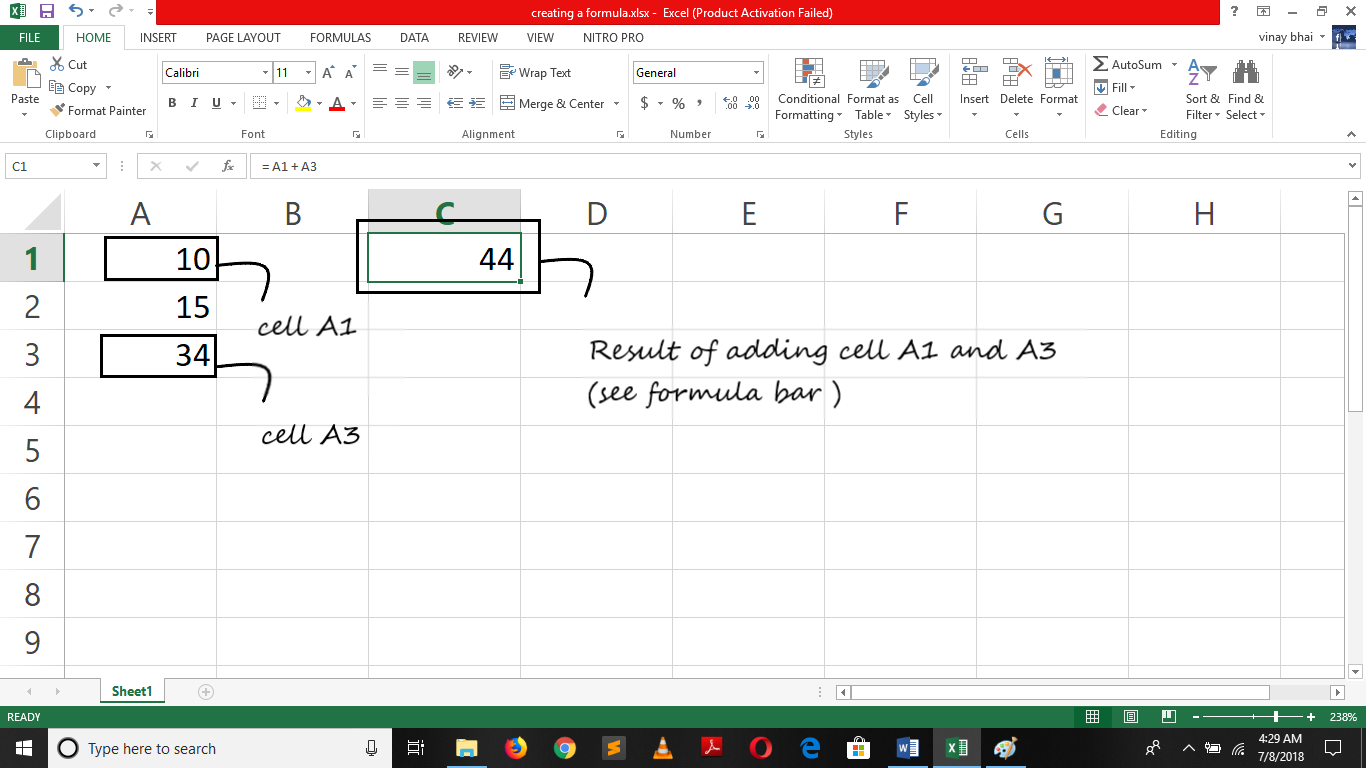
So, formula is defined as – An entry of cell address and mathematical operator in a sequence so we can get a new value which is generated from operating given value.
Formula for adding a value of cells B15 and C15 is –
=B15 + C15 (here, two cell address are written down with addition sign (mathematical operation).)
“=” is placed before cell address. “=” equal sign indicated the cells that we are going to write a formula and its need to calculated the data of given cells address. Unless data will treated as entry and not get executed.
Formula which you entered in cells is also can see in formula bar. On entering a formula its generates the result, so if a new person want to know that which formula is enter in this cell so, on selecting the cell the formula can be seen in formula bar.

Vinay Bhatt is the Founder of LearnInCreation, an education and technology platform focused on making computer science and digital learning simple, practical, and accessible. He holds a B.Sc. degree from Kumaun University and has professional certifications in Full Stack Web Development, Digital Marketing, and Ethical Hacking. Passionate about education and technology, he creates beginner-friendly courses, practical learning resources, and projects that help students develop real-world skills and prepare for their careers.


LearnInCreation helps students learn computer science and technology through easy-to-understand courses, practical projects, books, e-books like learning resources, enabling them to build skills for academic success and future careers.
Watch old videos of computer lessons, Subscribe us on Youtube