Lesson 10 - Relative Cell Reference
- Home
- / Fun With Excel
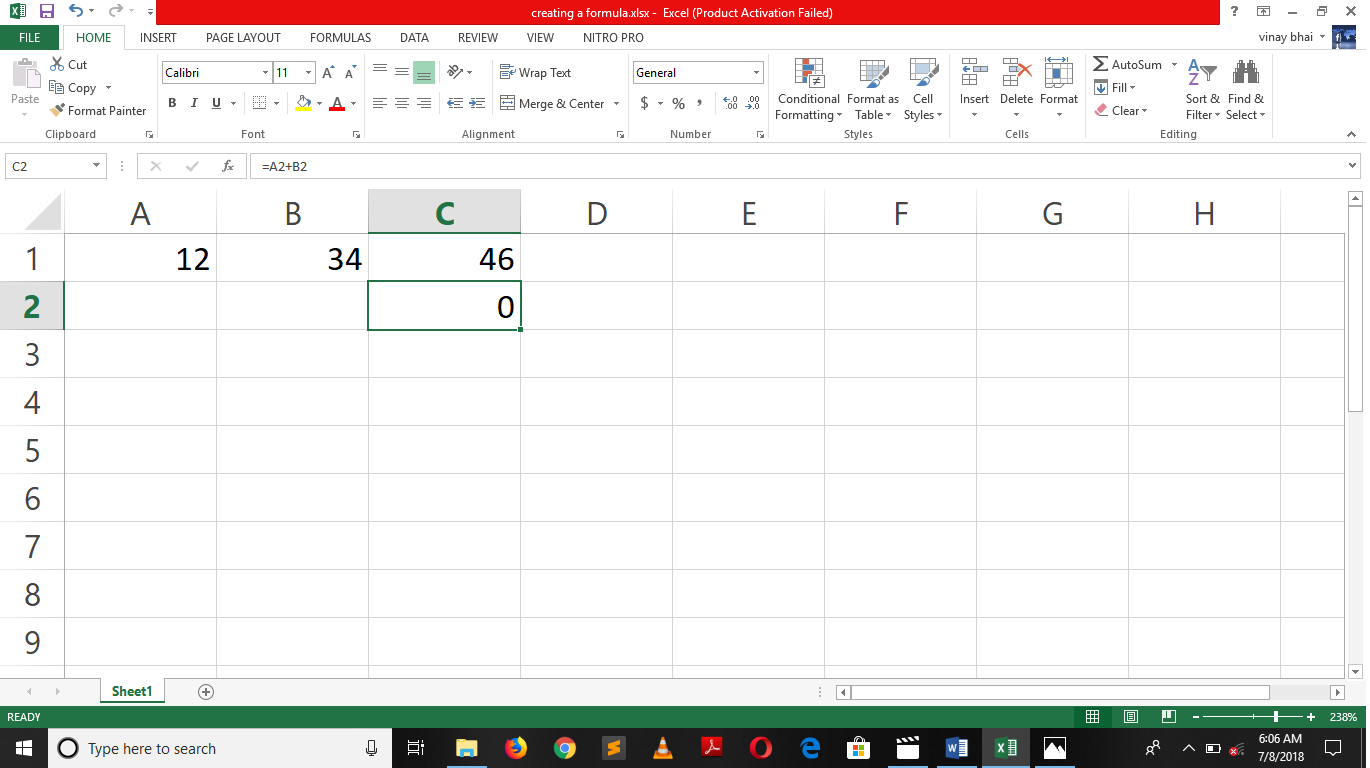
When you created formula with the cell address or cell names likes A1 or D3 etc. cell reference is known as Relative cell reference. Because on copying formula from one place to another, formula will change with reference cell new address.
For example, you want to add cell A1 and B1 and enter formula “=A1+B1” in cell C1. Now, on copied formula in cell C2, excel change the cell address also in formula as A2 and B2. Formula will changed to the new cell address.
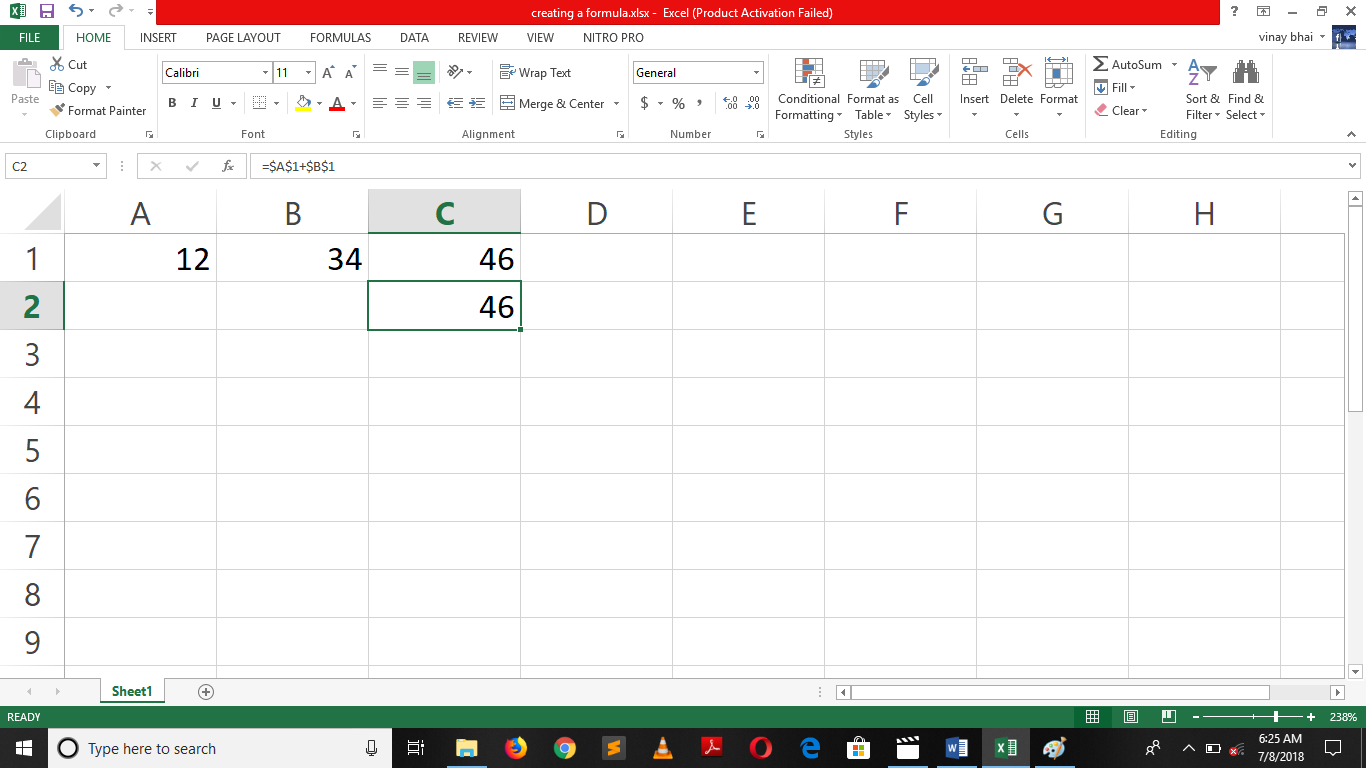
Absolute cell reference is differ from first one, here cell reference is not change when you moved or copied a formula from its original place. Or you can say that absolute cell reference has fixed row and column.
For this, we use a “$” sign to fixed the row or column. Here is above example we fix the row and column in cell reference, that why when you copied a formula from one place to another cell reference didn’t change.
=$A$1 + $B$1
Dollar “$” sign before column and row name fixed it. While in below image we only fixed a column not row so formula will change while copied.
See image -
Absolute cell reference is used to fix a cell reference, it’s prevent us to rewrite a same cell reference multiple time and hence save our time. Imagine a condition, where you need to make a reports on a metal with changing time and pressure but at constant temperature. You create a column of Metal name, Time, Pressure, Temperature and Observation.
At the time of calculation, when you enter a formula in Observation column it’s good to fixed the cell reference with the help of $ sign then writing it every time because it has a constant value.
Imagine another condition,
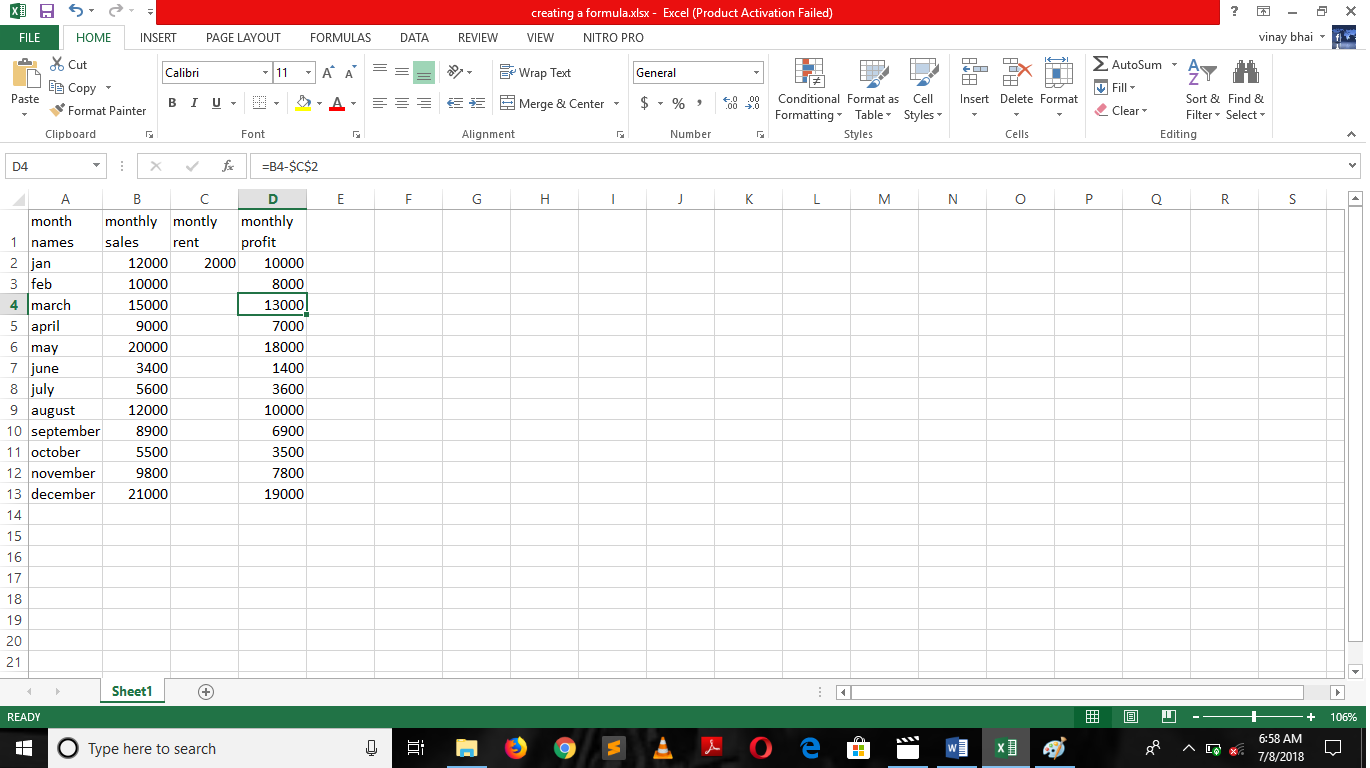
You are owner of Restaurant, you need to pay monthly rent to shop owner. On making a monthly profit report you need to reduce rent from monthly sales. Here rent is fixed so instead of writing it every time in formula while making a monthly report you can use absolute cell reference to reduce your efforts.

Vinay Bhatt is the Founder of LearnInCreation, an education and technology platform focused on making computer science and digital learning simple, practical, and accessible. He holds a B.Sc. degree from Kumaun University and has professional certifications in Full Stack Web Development, Digital Marketing, and Ethical Hacking. Passionate about education and technology, he creates beginner-friendly courses, practical learning resources, and projects that help students develop real-world skills and prepare for their careers.


LearnInCreation helps students learn computer science and technology through easy-to-understand courses, practical projects, books, e-books like learning resources, enabling them to build skills for academic success and future careers.
Watch old videos of computer lessons, Subscribe us on Youtube