Lesson 13 - View Your Presentation
- Home
- / Microsoft Powerpoint - Beginners
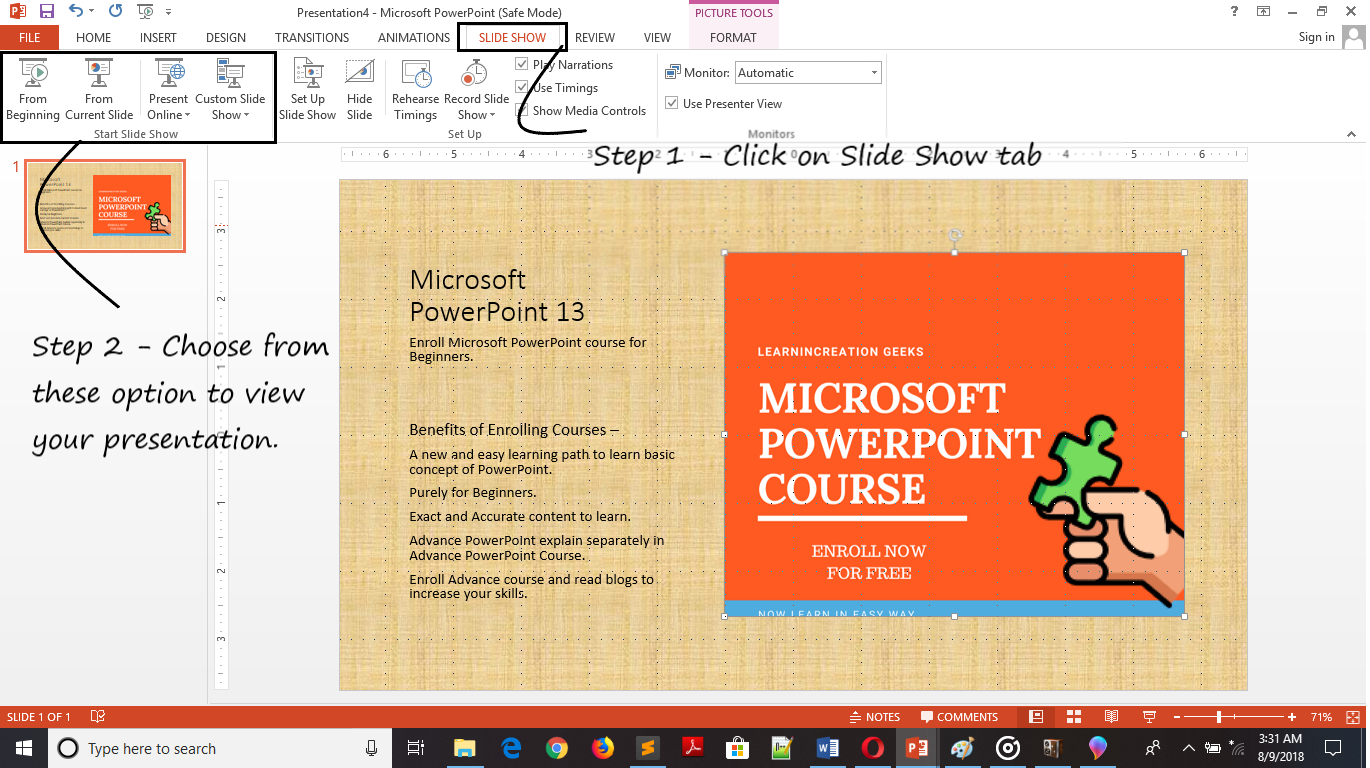
Now, you almost learned to create an interactive and effective presentation for school and small seminar’s.
You learnt to insert slide, formatting text, you also already learn about slide layout, theme, template, pictures and image formatting. So it’s a time to view the presentation you made.
If you didn’t create your own presentation along with learning. Then prepared a small presentation on any topic.
Now, once you complete your presentation it’s a time to view it.

Vinay Bhatt is the Founder of LearnInCreation, an education and technology platform focused on making computer science and digital learning simple, practical, and accessible. He holds a B.Sc. degree from Kumaun University and has professional certifications in Full Stack Web Development, Digital Marketing, and Ethical Hacking. Passionate about education and technology, he creates beginner-friendly courses, practical learning resources, and projects that help students develop real-world skills and prepare for their careers.


LearnInCreation helps students learn computer science and technology through easy-to-understand courses, practical projects, books, e-books like learning resources, enabling them to build skills for academic success and future careers.
Watch old videos of computer lessons, Subscribe us on Youtube