Lesson 18 - Optimize Your Presence
- Home
- / Facebook Marketing
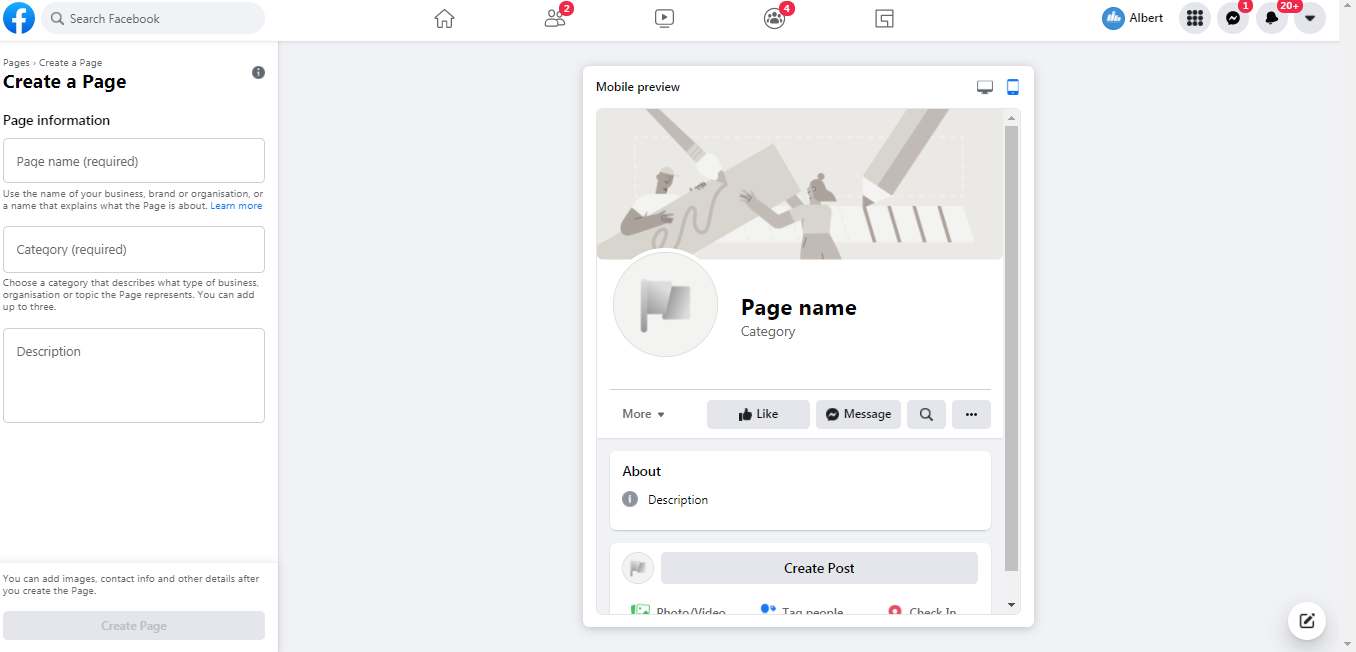
Before we go to build business page, keep in mind some important things. Marketing or Business presence is for customer awareness, leads generation, customer service, customer assistance, building brand recall value, sales are secondary things which depends on other factor including your product valuation.
Now let’s discuss every point individually in a brief –
Profile Picture –
Used to display a pic
– Mostly and generally a Logo for “Business Page”.
Personal pic for Public Figure , personal or Artist Pages.
Logo is a silent message of your business Brand, make it meaningful, attractive and understandable for peoples. Generally Profile picture size is about 180x180 px.
Cover Pic –
Cover pic is a about 560x315 px for mobile view and 823x315 px for desktop view.
Use this area to attract eye attention. Update your cover pic time to time and use it as your personal but globally seen flex area – to market or promote yourself – with eye catching and interactive flex board design.
When they comes to your page, first things they saw is – cover image and profile pic.
Smart people, business owner clear 75% of their brand message with this two things, rest effort are done on engaging post creation and consistency with activeness and updation.
Call To Action –
Imagine a scenario that someone told you about an awesome night party which seems to be full of joy and excitement but didn’t tell you where its going to held. It’s seems like helping without interest or giving half information makes you feel disappoint to miss that event.
Didn’t make your customer disappoint, encourage them to know more about your business or give freedom to talk about query via call to action like –
Descriptions –
Add a description about your business , things you deal with or provide, be accurate while choosing word and make it specific and short with information, you have only 155 characters.
@Username –
Create a username for your page, as it is a direct ‘url’ link from Facebook to open your page via direct link, try to create username relevant with Business Brand or should be unique.
Example - @learnincreation is a username of LEARNINCREATION Facebook Page, which turns to url link to reach you directly. For instance we have a facebook page link generate with our facebook page username - https://facebook.com/learnincreation
About Tab – Complete your about tab details with proper , required information to make your business looks more appropriate to approach, because people don’t buy until they trust you, and providing relevant, right and required information build a Trust and Bonds with your potential customers.
Shop Tab – You know the importance of transparency in a sales, now it’s a time to show your product line to your customer, visitor by listing your product on shop tab with product name, pictures, description, price, or Offer prices. Which eventually turn your whole shop into an online window portal where they can know about you, can see your product and if they want or need – can inbox or approach you via CTA you provide. You can also describe the office time of your shop, brand office if they want to visit for shop for appointment.
Now your business Online Window is very helpful to you coz it’s continuously open to market you audience even when you are sleeping. Your page properly aware them about your business location, description, product and office time to visitor, while you are doing other important work or sleeping.
So you learn about optimizing your business page , now upload post content , video content on your page designed specifically on context around customer interest , business , industry relevant and avoid to post bulky , overly promotion or written content post.
Build an engaging community of your customer. Pay attention on Facebook page Insight and Analytics, its shows you how your post perform, respond, or bring engagement.

Vinay Bhatt is the Founder of LearnInCreation, an education and technology platform focused on making computer science and digital learning simple, practical, and accessible. He holds a B.Sc. degree from Kumaun University and has professional certifications in Full Stack Web Development, Digital Marketing, and Ethical Hacking. Passionate about education and technology, he creates beginner-friendly courses, practical learning resources, and projects that help students develop real-world skills and prepare for their careers.


LearnInCreation helps students learn computer science and technology through easy-to-understand courses, practical projects, books, e-books like learning resources, enabling them to build skills for academic success and future careers.
Watch old videos of computer lessons, Subscribe us on Youtube