Lesson 3 - Why To Learn Microsoft Word
- Home
- / Microsoft Word - Beginners
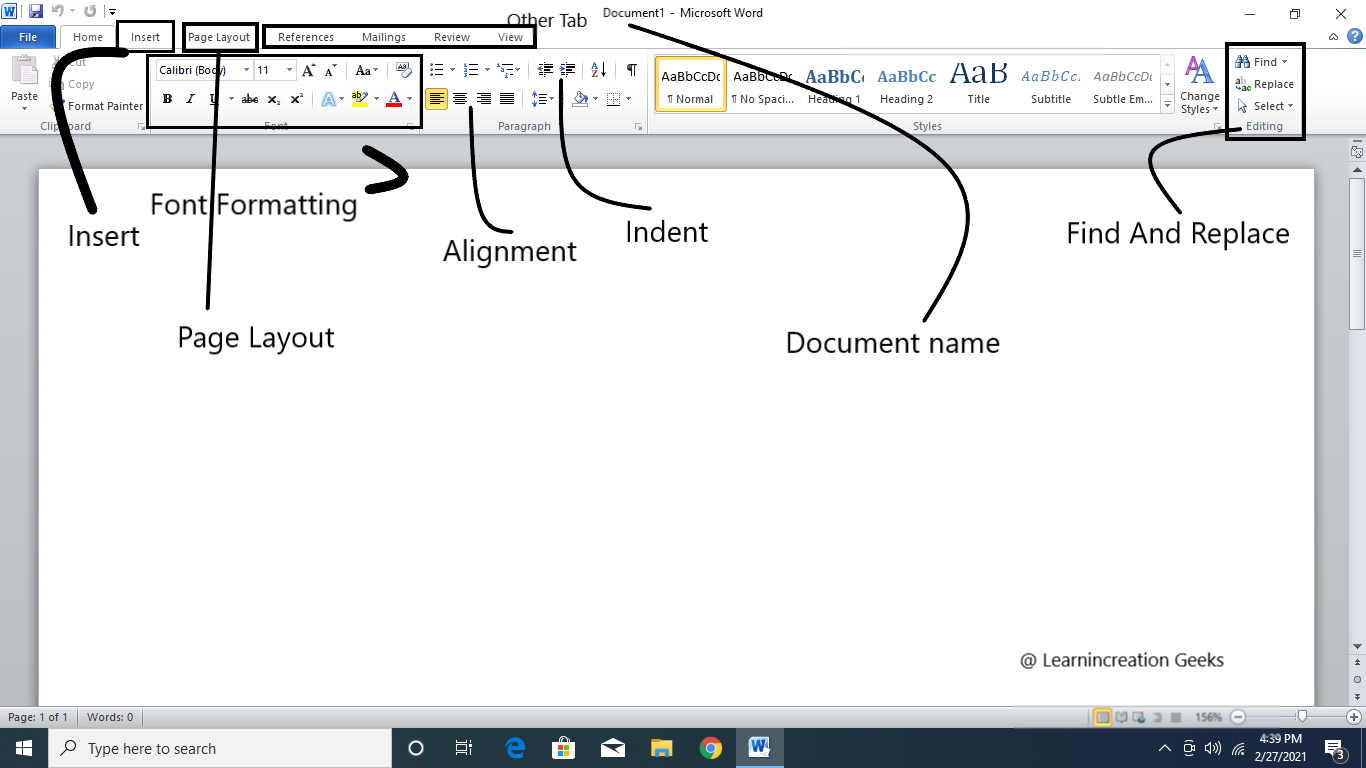
There are many features or function of MS- Word which helps us on daily basis, to process data some of them are listed here:
While working on MS – Word you don’t have to worry about where will line end and where will next begins. When it’s comes to change the paragraph then simply you just need to press Enter key.
When you type something wrong or misspell some words then you need to erase it and here ‘delete key’ will helps you.
It allow to insert data (text, number or images) in our document.
It’s a very useful function which allow you to move a sentence or a whole paragraph from one location to another without retyping it by the help of copy-paste command.
It’s also allowed you to check the spelling of you words you typed. Its underlines those word which are not spell correctly or grammatically wrong, and helps you to figure out them.
This feature helps you to format the alignment of your text in different ways. You can align your text to left, right or center of the page. Also you can create a list with bullets, romans number, letter etc.
Its allows you to format your text (word, sentences or paragraph) by setting line space, alignment, underline, italics, bold, setting font (change font- size or font- name) etc.
This feature allow you to merge text from one file to another files.
It’s allows you add header and footers on the top and bottom of every page.
As you read earlier in ‘Insert’ its allow you add the images, charts, tables etc. in your document through OLE (OLE stand for Object Linking and Embedding).
It’s allow you to make and add table to your document of certain rows and columns as per user need and also you can adjust the size, border and much more.
It’s allow you to save files and documents for further uses.

Vinay Bhatt is the Founder of LearnInCreation, an education and technology platform focused on making computer science and digital learning simple, practical, and accessible. He holds a B.Sc. degree from Kumaun University and has professional certifications in Full Stack Web Development, Digital Marketing, and Ethical Hacking. Passionate about education and technology, he creates beginner-friendly courses, practical learning resources, and projects that help students develop real-world skills and prepare for their careers.


LearnInCreation helps students learn computer science and technology through easy-to-understand courses, practical projects, books, e-books like learning resources, enabling them to build skills for academic success and future careers.
Watch old videos of computer lessons, Subscribe us on Youtube