Lesson 15 - Text Alignment
- Home
- / Microsoft Word - Advanced
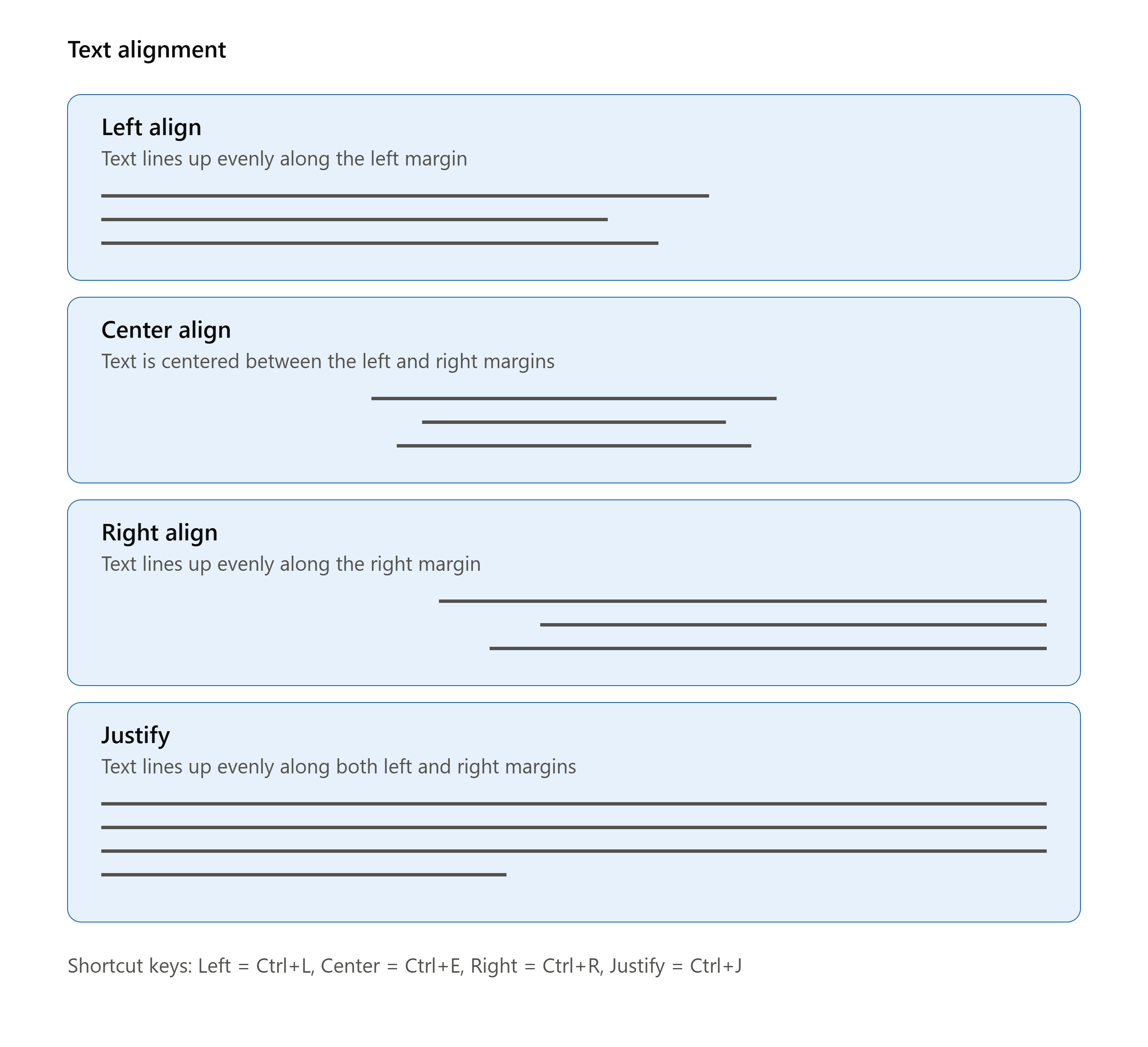
Alignment of text to its right position or according to user requirement gives a good appearance to the document. Well, you can align your text to –
Align text to the right side of page.
Align text to the left side of page.
Align text to the center of page.
Align text to both left and right margin.
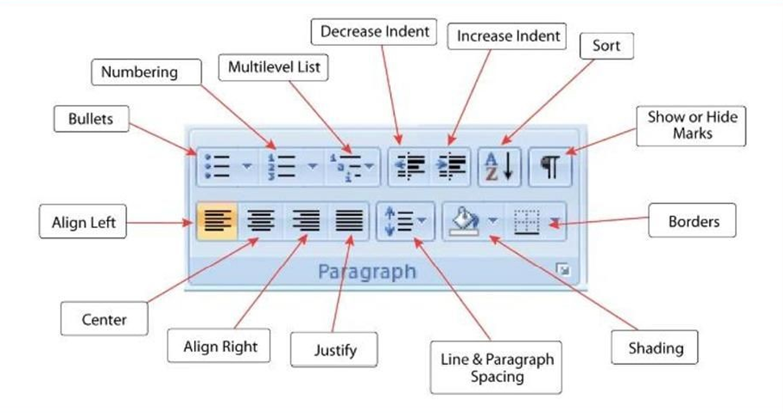
To align your text to your desired location you have many ways. Either you can do this directly by selecting your text (paragraph) and then clicking on Align button located under Paragraph section.

Vinay Bhatt is the Founder of LearnInCreation, an education and technology platform focused on making computer science and digital learning simple, practical, and accessible. He holds a B.Sc. degree from Kumaun University and has professional certifications in Full Stack Web Development, Digital Marketing, and Ethical Hacking. Passionate about education and technology, he creates beginner-friendly courses, practical learning resources, and projects that help students develop real-world skills and prepare for their careers.


LearnInCreation helps students learn computer science and technology through easy-to-understand courses, practical projects, books, e-books like learning resources, enabling them to build skills for academic success and future careers.
Watch old videos of computer lessons, Subscribe us on Youtube